
Golfstead is reader-supported. When you buy through links on the site, we may earn an affiliate commission at no extra cost to you. Our affiliations include, but are not limited to, the eBay Partner Network and Amazon Associates.
The 2026 GC2 is Foresight Sports’ redesigned, modernized dual-camera launch monitor. It shares the same name of the original GC2 but is built on completely new, modern hardware and an updated software ecosystem.
With a frame and style similar to the GC3 and GCQuad models, the 2026 GC2 uses two high-speed cameras to measure ball data at a very high level of accuracy. It’s suitable indoors and outdoors and sits at a very affordable entry-level price point.
In this Foresight Sports 2026 GC2 review, I’ll take an in-depth look at the launch monitor. I’ll look not only at how well it tracks shot metrics, but also at its usability and simulation capabilities.
How does the 2026 GC2 perform? How does it compare to other launch monitors in its price range? Is it worth getting if you’re looking for a quality golf simulation experience?
Here’s what I’m going to be covering in the review:
- What is the 2026 GC2?
- Setting Up The 2026 GC2
- Parameters & Accuracy
- Software & Simulation
- Pricing & Plans
- Where To Buy The 2026 GC2 Online
- Final Thoughts
Ready to try the 2026 GC2 right now? Click the button below or scroll down to the bottom of the review to see my final verdict!
Note: In the majority of cases, launch monitors tested on Golfstead are acquired temporarily and are not purchased. The review that follows is based on personal experience and research. Although the author makes every effort to ensure proper setup of the device and do direct comparisons with other launch monitors when possible, there are many variables that can affect data readings and performance. Therefore, exact results with a particular launch monitor may differ from person to person.
What is the 2026 GC2?

The 2026 GC2 is a performance-focused launch monitor. It precisely measures an array of ball data parameters using two high-speed cameras that photograph the ball through impact.
All metrics displayed on the 2.8″ built-in colour display are measured, and like its sister models, the 2026 GC2 has a sleek, portable, easy-to-carry design.
This simple launch monitor is simulation-ready, but it’s also fully usable outdoors on the range. A barometric sensor adjusts data readings based on atmospheric conditions, and the system is enabled for Wi-Fi, Bluetooth, and Ethernet.
The 2026 GC2 integrates with the Foresight+ software platform which consists of comprehensive indoor simulation software and an on-the-go app. The system is also compatible with third-party solutions E6 CONNECT, GSPro, Awesome Golf, and Creative Golf.
Setting Up The 2026 GC2
The 2026 GC2 comes with a power adapter, cable, and alignment stick.
We recommend fully charging the GC2 before first use by connecting the included power adapter and waiting for the battery indicator on the display to show full.
To turn the device on or off, press and release the power button located on the back of the device. Startup time is approximately 45 seconds.
You’ll need to register your 2026 GC2 by installing the Foresight app (iOS or Android) on your mobile device, creating a Foresight account, and connecting it to the device.
As a camera-based launch monitor, the GC2 is positioned directly in front of you when you’re addressing the ball. Place it upright on a level surface with the camera side (front) facing the hitting area.

If you’re using a hitting mat, you should ideally place the unit on the end of the mat at the same level as the ball.
The hitting zone is a triangle-shaped area that extends away from the unit, with the long side measuring 16 inches.

When placing your ball, the GC2’s display will show a placement aid that will turn solid blue when a ball is in the hitting zone. Once the display shows READY, you can hit your shot.
Additional Notes
- the GC2 system needs to connect to the internet to validate its registration at least once every 45 days
- the onboard display has indoor and outdoor viewing modes
- firmware updates are installed via the USB-C port on the GC2
- you should avoid having the GC2 in direct sunlight for prolonged periods (such as when storing)
- to clean the unit, simply wipe it with a damp cloth
- the rechargeable Lithium-ion battery lasts up to 7 hours on a full charge and is rated for a minimum of 500 charge cycles
- the unit weighs 4.5 lbs and has size dimensions of 5.45″W x 11.9″H x 4.6″D
- you can customize what is shown on the GC2’s display via MyTiles management in the Foresight app
For more detailed setup instructions, information, and tips, see the 2026 GC2 user manual.
Parameters & Accuracy
The 2026 GC2 measures the following ball metrics:
- carry
- ball speed
- total distance
- launch angle
- launch direction
- back spin
- side spin
- total spin
- spin axis
- offline
- peak height
- descent angle
- curve
- hang time
You can get an explanation of each data point here.
Unlike Foresight Sports’ other launch monitors, the GC2 doesn’t measure any club data and there are no add-ons available that would enable it. However, it’s important to note that only ball data is needed for golf simulation.
Accuracy
I was able to compare the 2026 GC2 to the GC3 during my test, and I can confidently say that the readings are more or less identical. It’s a professional-grade level of accuracy, there’s no question.
Nothing about the GC2’s measurements stand out to me as being clearly inferior, though all of its measurements are rounded up to the nearest whole number, so you lose that extra bit of precision there.
In addition, I didn’t experience any mis-reads or no-reads during my test; if they’re possible, I assume they would be extremely rare. As long as the setup is correct, you can pretty much rely on the GC2 for every shot.
Software & Simulation
As a Foresight Sports launch monitor, the 2026 GC2 can integrate fully with the Foresight+ platform which includes the Foresight app for mobile use and Premier for indoor simulator use.
In addition, with an active Gold Membership, you can integrate various third-party software including GSPro, E6 CONNECT, Awesome Golf, and Creative Golf.
Foresight App

The Foresight app, available for iOS and Android devices, is Foresight Sports’ comprehensive mobile analysis and training solution for their line of launch monitors including the GC2.
The app runs your shot data live as you practice. Capabilities include:
- a 3D range environment with ball tracer and data overlays
- club data visualization tools (not applicable to GC2)
- top-down dispersion maps
- swing recording with playback and editing tools
- shot data tiles
- session data tables
- club data comparisons
- drills and challenges
The app also has a neat feature where you can access 2D aerial GPS maps of over 40,000 real courses from around the world and practice tee shots off of any hole.
Note that the features you can access in the app will depend on whether you have a Silver or Gold Membership, with Gold giving full access to all features. Free usage only allows for core data views.
Premier

Premier is Foresight Sports’ new PC simulation software solution for their line of launch monitors including the GC2.
The software currently has three main modes:
- Course Play: play simulator golf on over 100 top real-world courses with up to 4 players. You have an extensive set of match settings at your disposal that cover rules, hole selection, environment and more.
- Shot Analysis: view shot tracers in a 3D range environment and drill down into your metrics after each shot with visuals, data tables, and more.
- Training: access drills, target practice, and more.
A subscription to Course Pass or Course Pass Pro, which themselves require a Silver or Gold Membership, is needed to access Foresight Sports’ course library.
Keep in mind that at the time of writing, Premier is missing many useful features, and many users consider the Course Play feature to be underdeveloped. It will get the job done for basic golf simulation, but there is lots of room for improvement.
Third-Party Integrations
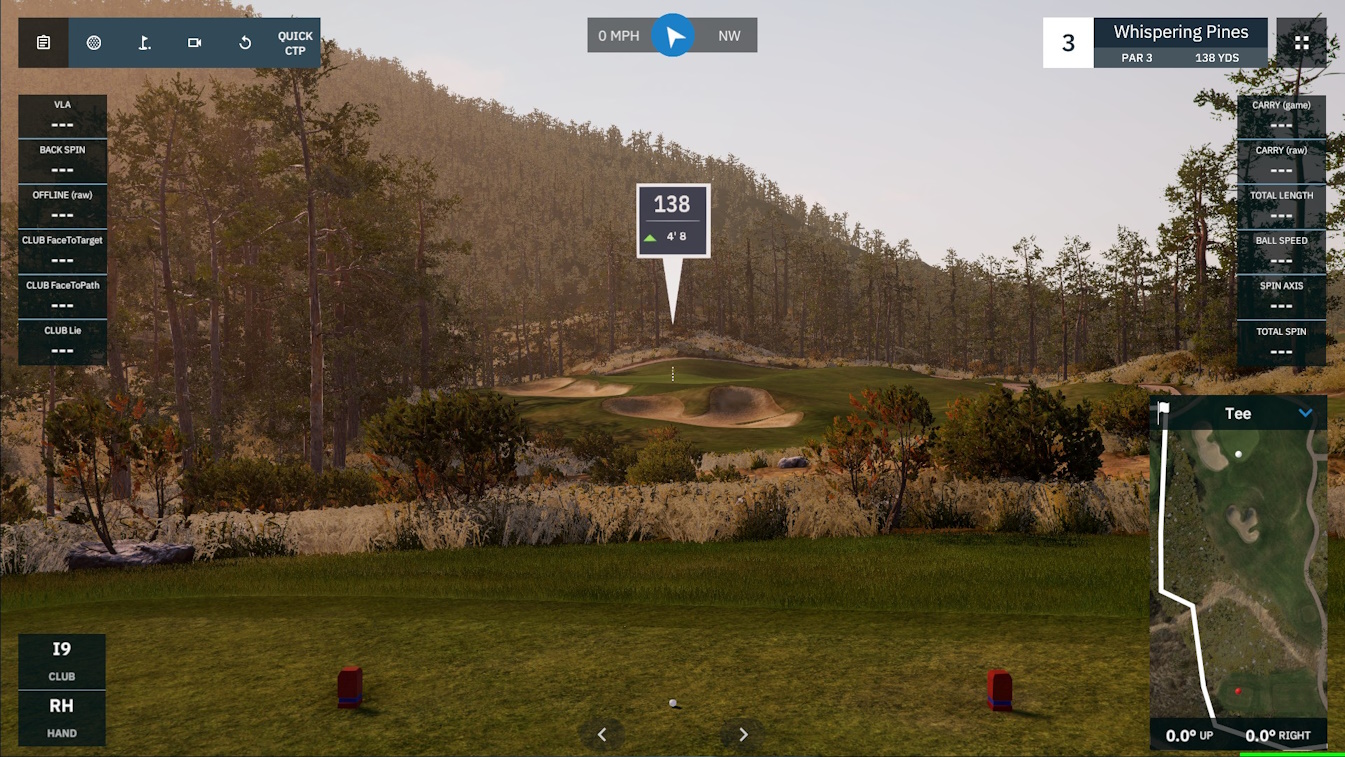
Beyond the in-house platform, the 2026 GC2 can also integrate with these third-party simulator software solutions:
- E6 CONNECT: TruGolf’s long-standing golf simulation software solution known for its quality and diverse range of features; includes a full driving range and practice area, full course play, tournament play and online events, an array of multiplayer formats, flexible gameplay settings, minigames, and more.
- GSPro: designed to be ultra-realistic with advanced ball physics and 4K graphics; allows anyone, regardless of skillset, to create courses that can be played by the community; driving range, on-course practice, bag mapping, skills challenges, full course play, local and online multiplayer, and more.
- Awesome Golf: has a distinct cartoon art style and is heavily focused on fun and entertainment with friends, family and children; affordable; has a range mode, challenges, kid-friendly minigames, and play on fictional courses.
- Creative Golf: contains over 200 real, reproduced golf courses from around the world; add-on software called Golfisimo adds a host of cute, entertaining games for children and non-golfers; includes course play, driving range practice, multiplayer practice, club fitting, chipping and putting, tournaments, and local events.
For serious golf simulator users, we generally recommend GSPro for third-party software. GSPro basically has it all, and the general consensus is that it’s the best third-party software to use for golf simulators.
Pricing & Plans
The base price of the 2026 GC2 launch monitor is $1699 USD. This purchase includes a one-year warranty and 30-day trial to the Foresight+ Gold Membership and Course Pass Pro.
The paid subscription options are:
- Silver ($199/year): unlimited session history, challenges, drills, additional views, and more.
- Gold ($599/year): everything in Silver plus video capture, third-party integrations, earbud narration, club comparison views, and more.
Without a Silver or Gold Membership, you can view your ball data directly on the unit’s built-in screen after every shot, as well as store up to 10 sessions on the Foresight app.
In addition, with an active Silver or Gold Membership, you can sign up for Course Pass ($295/year) or Course Pass Pro ($595/year) to access Foresight Sports’ course library for simulator play on Premier. The former gives you partial access, while the latter gives you full access.
Here are current prices (subject to change) associated with the third-party software options that are compatible with the GC2:
- E6 CONNECT: $300/year (basic) or $600/year (expanded)
- GSPro: $250/year
- Awesome Golf: $14.99/month or $159.99/year or $349.99 one time
- Creative Golf: $500 one time, and $300 one time for Golfisimo
Where To Buy The 2026 GC2 Online
If you’re looking online, I suggest buying the 2026 GC2 from The Indoor Golf Shop or Rain or Shine Golf.
You can choose either of these vendors based on your preferences. Both have excellent customer support teams that will bend over backwards to make sure you’re all set.
If you plan to use the GC2 for indoor golf simulation, you can pair it with a high-quality studio such as the SIG10 or SwingBay.
Final Thoughts
On the surface, you really do get amazing value with the Foresight Sports 2026 GC2 launch monitor.
For less than $2000, you get an extensive set of ball data metrics, measured at a professional level of accuracy similar to high-end systems. You can view your data on the onboard display after every shot, whether indoors or at the range, and it’s fast and reliable.
In fact, for this kind of basic use, the 2026 GC2 is really a no-brainer purchase.
Where Foresight Sports gets you, however, is in the ongoing software costs. To even have the opportunity to connect acclaimed third-party solutions like GSPro, you’ll need to shell out $599/year for the Foresight+ Gold Membership, on top of the annual cost of the third-party software itself.
If you feel like you don’t need third-party software and just want to play courses through Foresight’s in-house platform, you’ll need to pay $295/year or $595/year for access to Foresight’s course library, which only provides up to 118 courses.
When you combine the annual cost of a Silver or Gold Membership with the annual cost of Course Pass or third-party software, you could easily be spending more than $1000/year on software. This is an especially tough pill to swallow when you consider that the new Premier software is missing many important QoL features and still needs a lot of work.
So, while the 2026 GC2 is an exceptional launch monitor in and of itself, I recommend you consider carefully what features and capabilities you want and the ongoing subscription costs involved, because those costs could be significant.
Thanks for reading my Foresight Sports 2026 GC2 launch monitor review. Are you interested in the 2026 GC2? Have you tried it already? What’s your experience? Tell us about it in the comments below.


